
This section provides a step-by-step guide to help you generate and configure mobile and TV apps for your OTT platform. Whether you’re launching apps for Android, iOS, Android TV, Apple TV, or Smart TVs (Samsung, LG), this guide walks you through the entire process—from app setup to build generation.
APPS
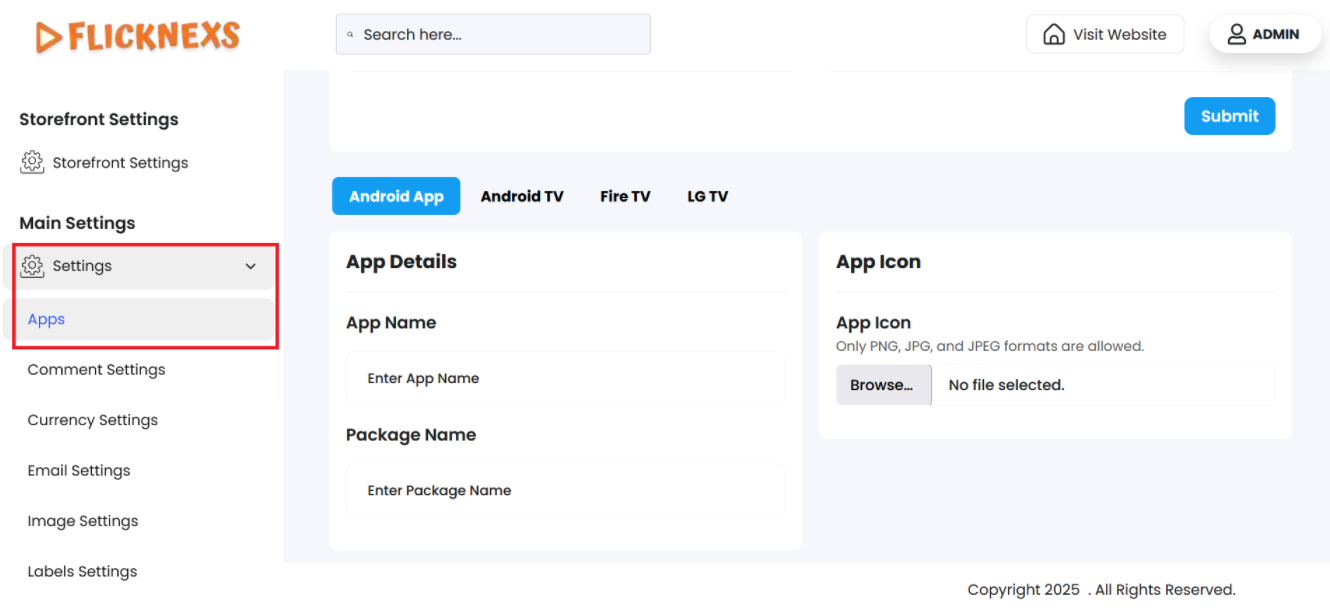
You will find four tabs at the top of the page, namely, Android App, Android TV, Fire TV, and LG TV to individually provide the required app information for requesting the Google Play Store to publish your app.
There will be two form sections that are common for all the four platforms – Android App, Android TV, Fire TV, and LG TV. These are mentioned below:
App Details
- App Name: Enter the name of your App.
- Package Name: Unique ID for the app in reverse domain format.
App Icon
- App Icon: File upload field to insert the logo of the app.
Click on the ‘Submit’ button to save your changes. A toast notification ‘App Upload Request Submitted’ will appear to confirm the upload.
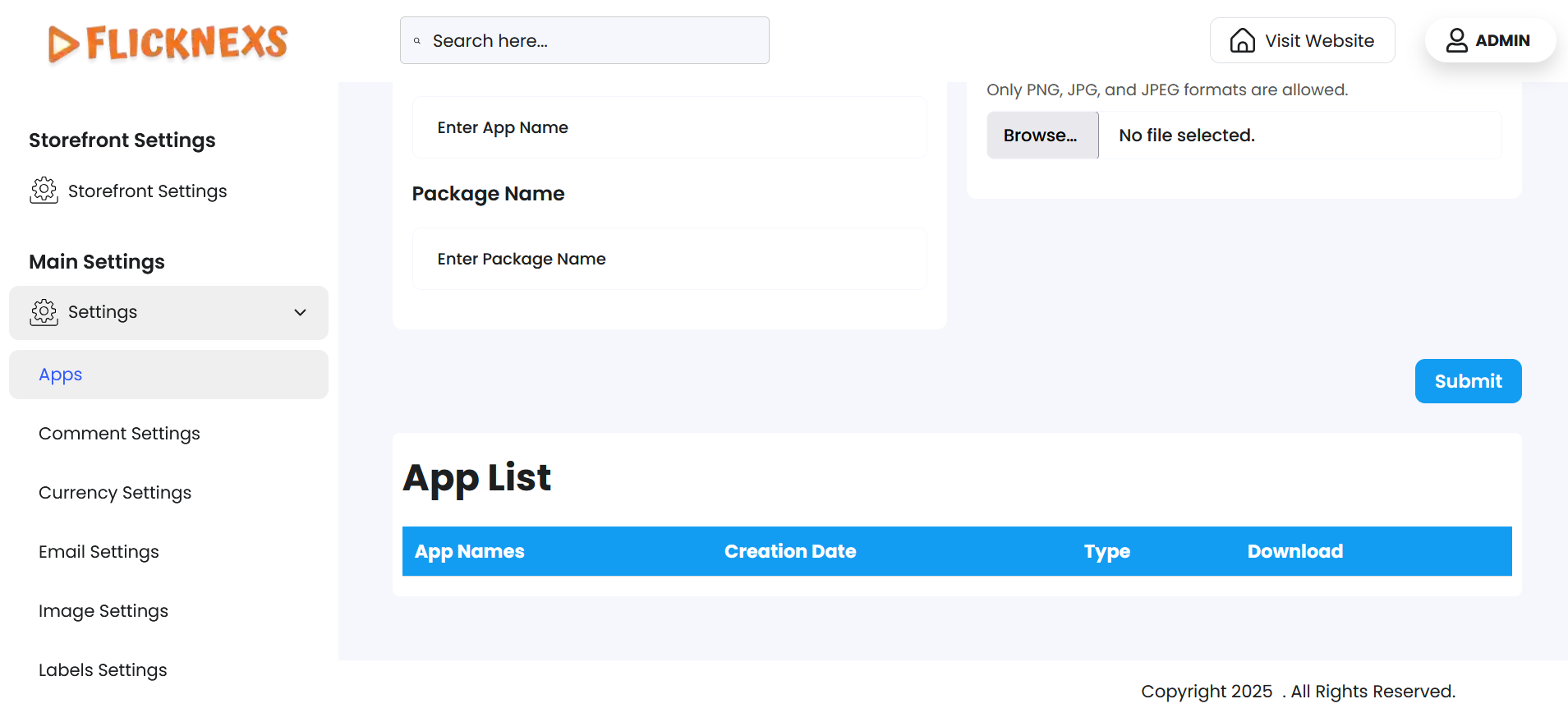
All the apps that you create for all the four platforms will appear in the table below the above form sections. The table contains the following column headers:
- App Names: Name of your app.
- Creation Date: Date of the app creation.
- Type: Name of the published platform.
- Download: Clickable Download button to download the app.
Use this table to check your app details and download the files as required.