
The Manage Age section allows administrators to configure and maintain age-related restrictions and labels across the platform. This is especially useful for enforcing age-appropriate access to content and complying with regional content regulation standards.
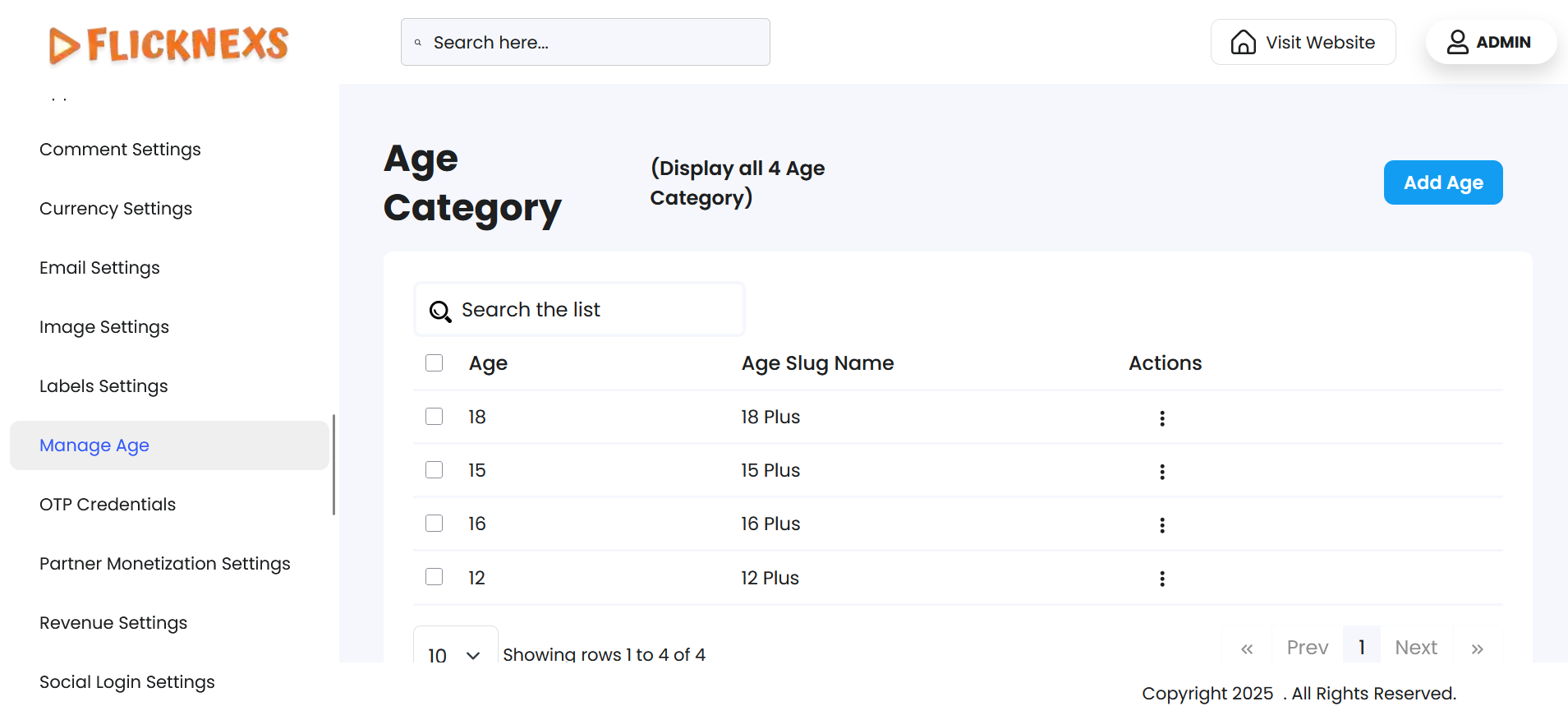
The Manage Age Settings section provides a centralized interface to define and control age-based content restrictions across your platform. This ensures compliance with legal standards and helps tailor the user experience by restricting access to content based on viewer age.
Age Categories Overview
You will find a comprehensive list of existing age categories that are currently active on the platform. These categories play a crucial role in determining which users can view specific content, based on the assigned age restriction.
Available Management Options
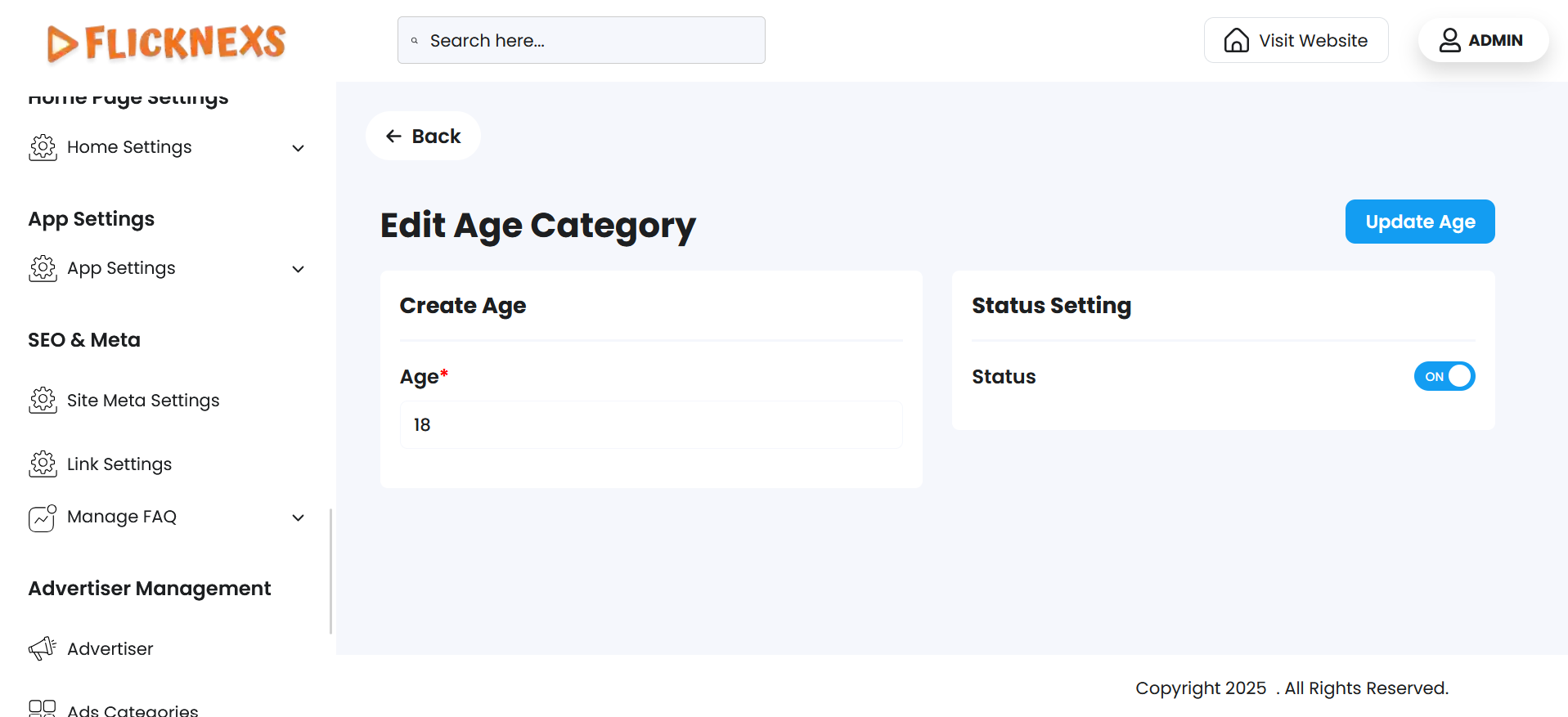
Edit Age Category
- Allows you to update the age value (e.g., change from 13+ to 16+).
- You can also choose to enable or disable the display of the age label on the content.
- Disabling an age category temporarily hides it from active use without deleting it.
Delete Age Category
- Use this option to permanently remove an age category that is no longer needed.
- Please note: Deleting an age category will remove its association from any content previously assigned to it, which may affect visibility restrictions for that content.
Add New Age Category
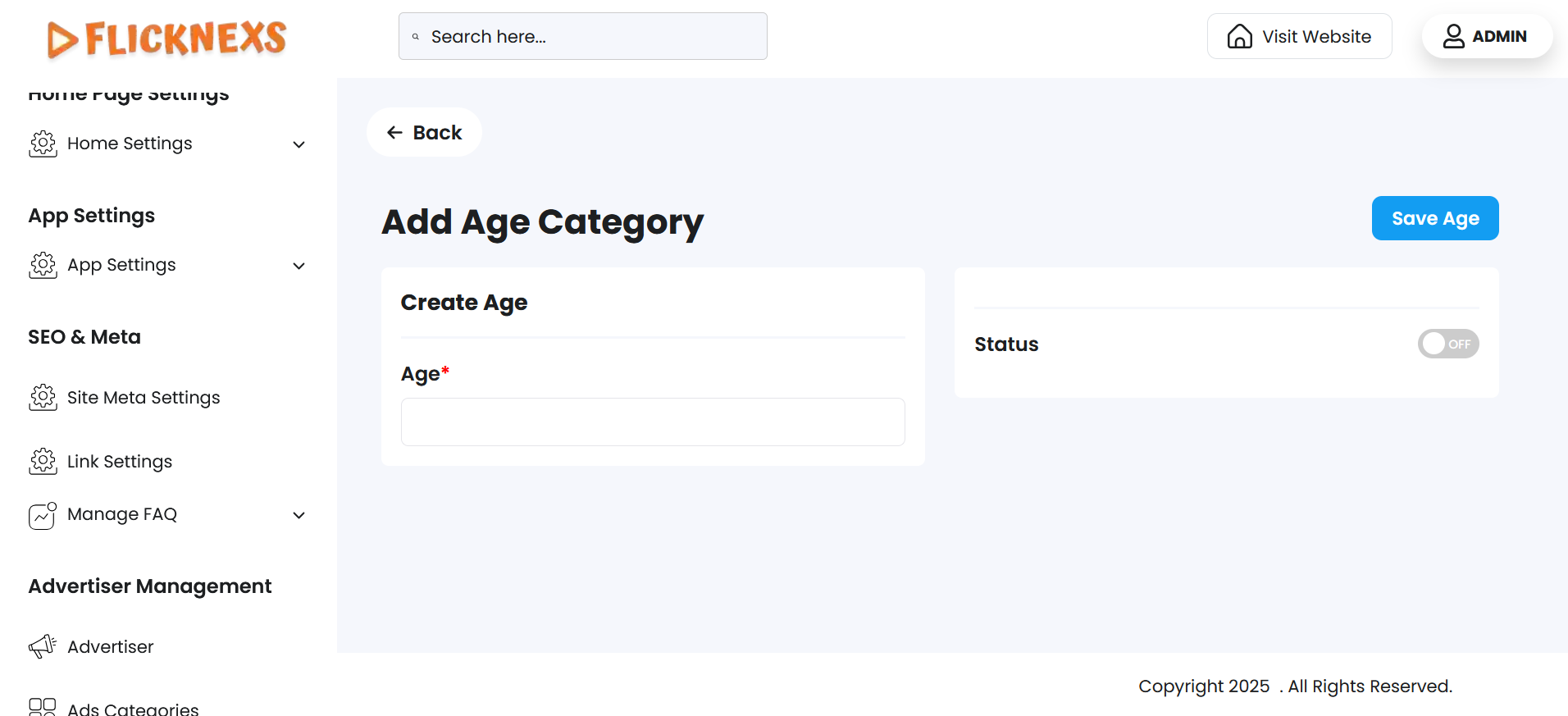
- This feature lets you create a new, custom age restriction to match your platform’s evolving compliance or content guidelines.
- You can define:
- A specific age threshold (e.g., “18+”)
- Whether to enable or disable the category’s visibility for end users
This provides flexibility to adapt to changing regulations or unique platform needs.
Why It Matters
- Ensures your platform remains compliant with regional age-related laws
- Enhances user safety and parental trust
- Provides granular control over content accessibility
- Helps maintain a responsible and legally sound media environment