
The OTP Credentials section is used to configure the settings required to send One-Time Passwords (OTP) for user verification processes such as registration, login, password reset, and other secure actions on your platform.
These settings are essential for integrating with third-party SMS/email providers that deliver OTP messages to users, ensuring a secure and seamless verification flow.
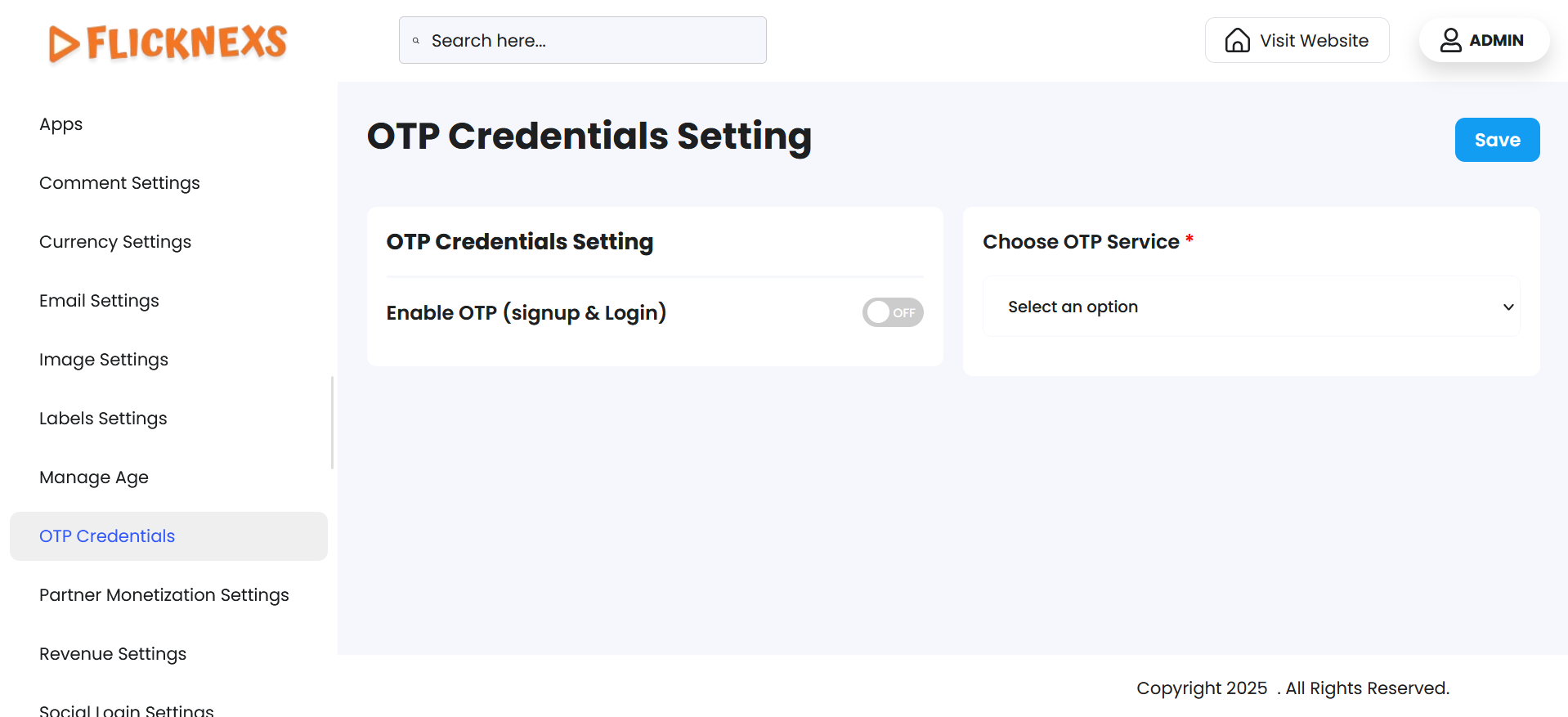
In these settings, you can control the usage of One-Time Passwords (OTP) for both the signup and login processes on your platform. OTP is a security feature that enhances the user verification process, providing an additional layer of protection against unauthorized access and ensuring that only legitimate users can sign up or log in.
Features and Customization Options
Enable OTP for Signup and Login
- Enable/Disable OTP
You can choose to enable or disable OTP for both the signup and login processes on your platform.- If enabled, users will be required to enter an OTP sent to their registered mobile number or email address to complete the signup or login process.
- If disabled, users will not be prompted for an OTP and can proceed with their signup or login without this step.
- This feature allows you to decide the level of security needed for your platform. For platforms that require high security, enabling OTP is recommended.
Configure SMS Gateway for OTP
- Choose OTP Service
You need to specify which SMS gateway you are using to send the OTPs. This could be a third-party service provider such as Fast2sms, 24×7 SMS, or any other SMS API provider.- SMS Gateway Options: Depending on the SMS service you choose, you can configure the OTP process to work with that particular gateway, ensuring seamless delivery of OTPs to your users.
- Add the API Key:
Once you’ve chosen your SMS gateway, you must provide the API key for that service. The API key allows your platform to authenticate with the SMS gateway provider, enabling OTP generation and delivery.- The API Key should be entered securely in the provided field to ensure proper integration with the SMS service. Each SMS gateway provider will provide its own API key when you sign up for their services.
OTP Delivery Method
- Depending on the gateway configuration, OTPs can be sent via SMS or other methods supported by the gateway (like email or push notifications). You can configure the system to deliver the OTP through your chosen method.
Key Features
- Integration Fields: Enter necessary credentials like API key, sender ID, authentication token, or any other parameters provided by your OTP service provider.
- Custom Provider Support: Supports popular SMS/email OTP gateways and allows custom configuration for different vendors depending on your region or preference.
- Verification Flow Control: Ensures OTPs are sent successfully and received by the user, enabling secure verification before granting access or completing an action.
Benefits of Enabling OTP
- Enhanced Security: OTPs add an extra layer of security to your platform by verifying that the user has access to the phone number or email they used to register.
- Reduced Fraud: By requiring an OTP, the risk of unauthorized access to accounts due to compromised credentials is minimized.
- Improved User Verification: OTPs ensure that the user is legitimate and authorized to access their account, making the platform safer for both users and administrators.
- Convenience: OTPs are typically short-lived, adding a level of convenience for users, as they only need to enter a temporary code for authentication.
- User Trust: Builds user confidence with a secure and professional authentication process.
- Customizable Behavior: Fine-tune delivery rules and retry mechanisms based on your business logic.
By enabling OTP for signup and login, you increase the security of your platform, ensuring that only verified users can access or register on your site. Integrating an SMS gateway with an API key further streamlines the process, enabling efficient delivery of OTPs to users across the platform.