
In the Partner Monetization Settings, you can configure how videos uploaded to your platform generate revenue. This feature gives you control over view limits and earnings, enabling you to set specific thresholds for when a video starts monetizing. Additionally, you can define how much your partners earn per view, allowing for flexible and customized revenue sharing. These settings help manage and optimize the monetization process, ensuring fair compensation for content creators while maximizing platform profitability.
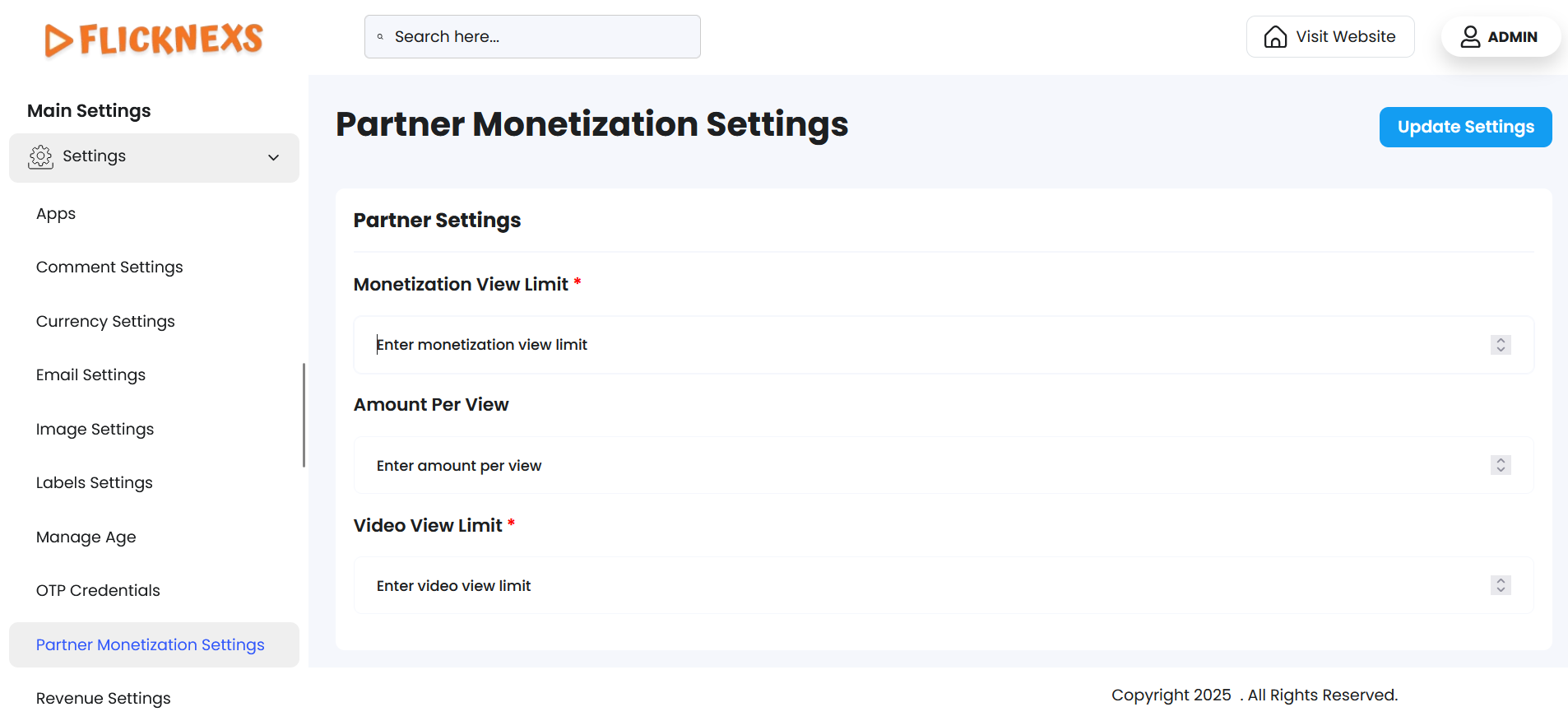
In these settings, you can define and customize the monetization process for the videos uploaded to your platform, giving you control over the view limits and earnings associated with video content. These settings allow you to set specific thresholds for when content can start generating revenue, as well as how much partners earn per view.
Features and Customization Options:
1. Monetization View Limit:
- This setting allows you to specify the number of views a video needs to achieve before it becomes eligible for monetization.
- Monetization View Limit: You can set a specific view threshold (e.g., 1000 views, 5000 views) that a video must reach before it can start earning money through ads, subscriptions, or other monetization models.
- For example, if you set a monetization view limit of 1000 views, the video will only start generating revenue once it has been viewed 1000 times.
2. Amount Per View:
- This setting allows you to define how much revenue is earned for each view of the video once it has met the monetization view limit.
- Amount Per View: You can enter a specific amount (e.g., $0.05 per view, $0.10 per view) that will be paid to the content creator or partner for each view their video receives once it has passed the view limit threshold.
- For instance, if the Amount Per View is set at $0.05 and a video reaches 1000 views, the creator will earn $50 from those views.
3. Video View Limit:
- This setting controls the number of views a video can have before it reaches its limit for being monetized.
- Video View Limit: You can define a view cap for each video, meaning that after a video has been viewed a certain number of times (e.g., 10,000 views), it will no longer be eligible for monetization, regardless of its continued views.
- This can be useful if you want to prevent any one video from over-earning after a certain threshold is reached, or if you want to manage the distribution of views across multiple videos.
By defining these monetization thresholds and settings, you can manage how content creators earn revenue from views, ensuring fair and efficient distribution of earnings based on content engagement.