
Site Meta Settings help optimize your website for search engines and social sharing by managing metadata like the Site Title, Meta Description, and Meta Keywords. These settings improve SEO performance and control how your content appears when shared on platforms like Facebook or Twitter. You can also set default image previews and customize metadata for each page to ensure consistency and better visibility across search results and social media platforms. Proper configuration boosts both discoverability and user engagement.
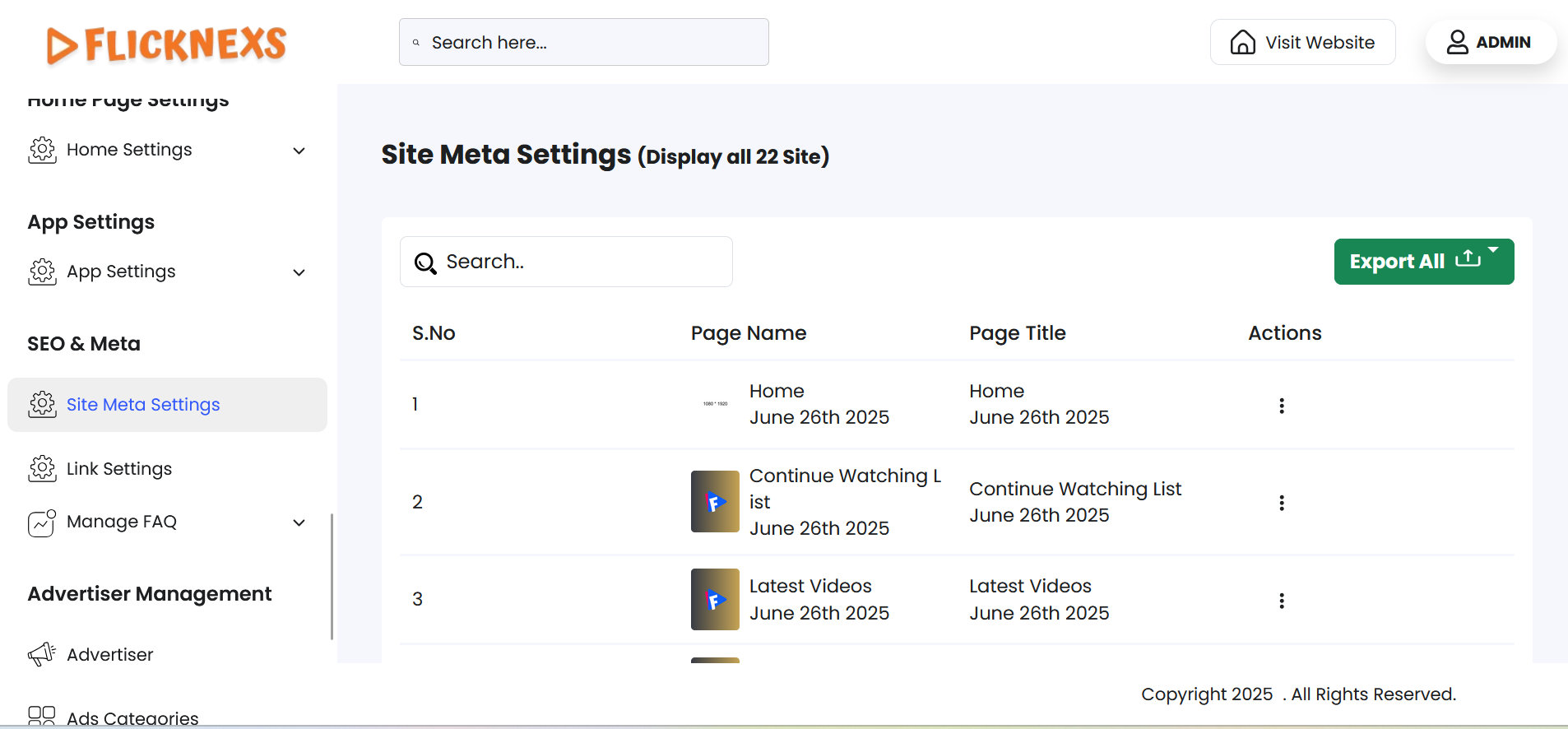
In the Site Meta Settings section, you’ll see a table listing all the pages on your website. For each page, the following details are displayed:
- Page Name – The internal name or URL slug of the page.
- Page Title – The SEO title shown in search engine results and browser tabs.
- Action – Includes an Edit option.
When you click Edit, it opens a detailed page (as shown in the reference image), where you can:
- Modify the Meta Title, Meta Description, and Meta Keywords.
This interface ensures each page is SEO-optimized and visually appealing when shared or indexed.
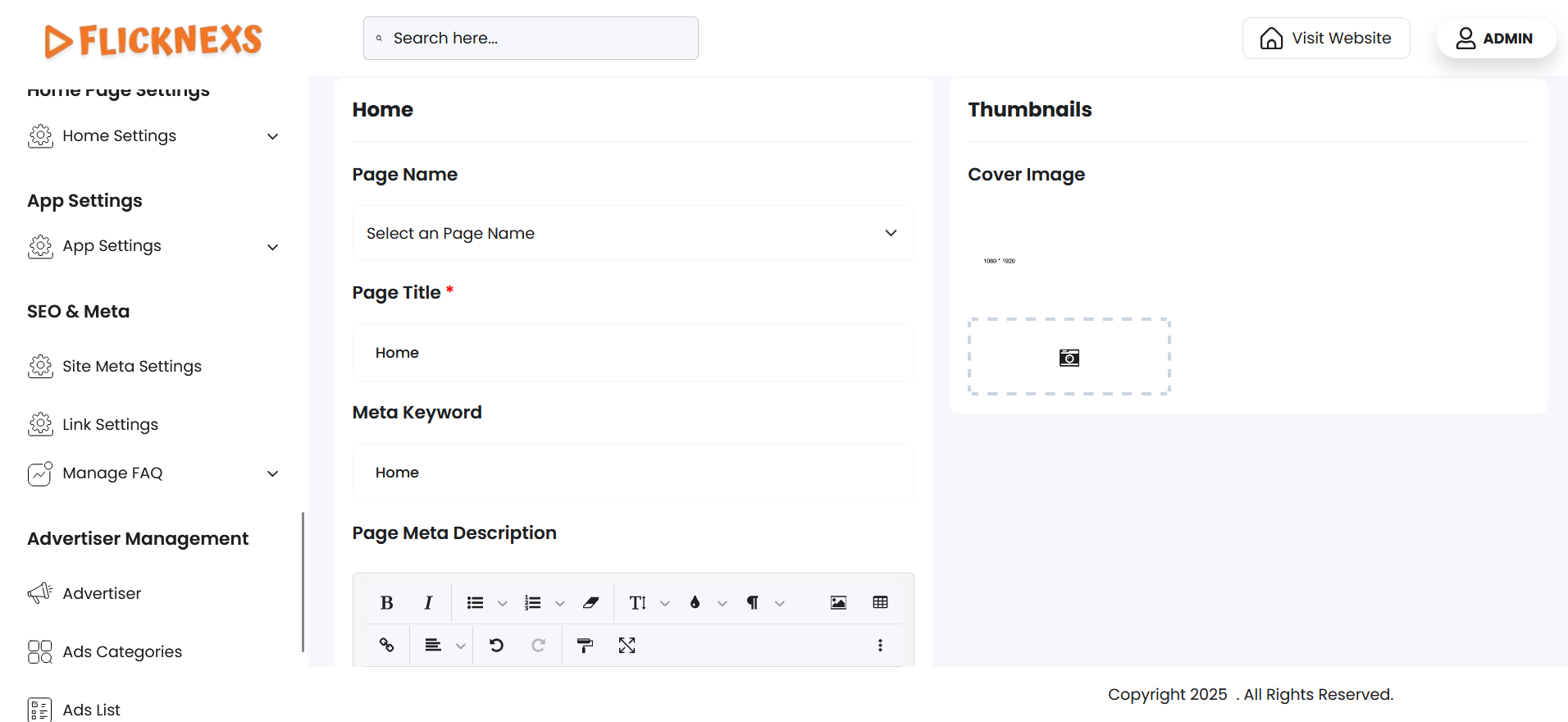
In these settings, you can manage and customize the metadata for all pages on your platform. This feature allows you to view a list of all pages and provides options for editing key elements related to the pages, such as their name, title, and metadata. This is essential for SEO (Search Engine Optimization), improving the discoverability of your pages on search engines, and ensuring a more engaging user experience.
Features and Customization Options:
1. Editing Page Metadata:
- Each page in the list can be edited to customize its metadata, which is crucial for SEO and how it is presented to both users and search engines.
- The editable fields include:
- Page Name: You can modify the name of the page if needed, allowing you to better reflect its content or purpose.
- Page Title: Customize the title of the page, which appears in the browser tab and on search engine result pages. This is vital for SEO, as a well-crafted title can improve your page’s ranking.
- Meta Description: The meta description is a short summary of the page content. This description appears below the page title in search engine results and should entice users to click on the page. It’s an important SEO element.
- Meta Keywords: This field allows you to add keywords related to the page content. While meta keywords are less important for SEO today, they still provide some context for search engines and can help optimize the page.
- Meta Image: Upload a meta image (often referred to as a thumbnail or preview image). This image is used when the page is shared on social media or appears in search results, making it important for click-through rates and engagement.
2. Action – Edit Option:
- Edit Option: Each page has an edit option that allows you to update the above fields. You can access this option directly from the list, making it easy to customize and optimize each page’s metadata individually.
Benefits of These Settings:
- SEO Optimization: By customizing page titles, meta descriptions, and meta keywords, you can improve your pages’ search engine rankings and visibility, driving more organic traffic to your platform.
- Enhanced User Experience: The meta description and meta image ensure that when users see your pages in search results or on social media, they are presented with a concise, engaging preview of the content.
- Better Content Organization: Customizing the page name and title helps you keep your platform organized and ensures that users can easily identify the pages.
- Improved Social Sharing: The meta image and meta descriptions make your pages more visually appealing and informative when shared on social media platforms, increasing engagement.
By using these settings, you gain full control over the metadata of your pages, optimizing your platform’s visibility and engagement both in search engines and on social media, leading to a better user experience and increased traffic.